
If you’re diving into the world of IPTV, you may have heard the term “iptv code for downloader”. These codes are a powerful tool that makes installing IPTV player apps on devices like Fire TV, Android TV, or Google TV much simpler — especially when you’re sideloading applications rather than downloading them from an official store.
In this article, we’ll explore:
- What a downloader app is
- What iptv code for downloader really means
- How downloader codes work
- How to generate your own downloader code using AFTVNews’ URL shortener
- Tips, risks, and best practices
- How British IPTV 4K supports your setup
By the end, you’ll clearly understand how to use downloader codes safely and efficiently, and how a professional IPTV provider like British IPTV 4K can help streamline the process.
What Is the Downloader App?
The Downloader app, developed by AFTVNews, is a sideloading utility for Fire TV, Android TV, Google TV, and similar devices. Rather than typing long URLs into a browser, the downloader app gives you a simple interface to enter a URL (or code) and download an APK (Android app) directly.
Once installed, Downloader can:
- Download APK files
- Install those APKs
- Manage downloaded files
- Open websites within the app
This makes Downloader a must-have for advanced IPTV users and anyone who wants to install third-party IPTV players not available in the official app store.
What Does “IPTV Code for Downloader” Mean?
An iptv code for downloader is not a subscription code for channels — it is a shortcut that corresponds to a specific APK or URL. When you type the code into the Downloader app, it loads a web address tied to an IPTV-related application, such as an IPTV player, and immediately begins downloading it.
These codes are numeric shortcuts (for example: “6468112”) that simplify sideloading by letting you avoid typing a lengthy web address. Essentially, they map a short code to a full URL, pushing that APK down to your device via Downloader.
Why Use Downloader Codes for IPTV Apps?
Convenience on TV Devices
Typing long URLs on a Fire TV remote or Android box can be tedious. Codes save time and frustration.
Safety and Reliability
When the code comes from a trusted source (like AFTVNews or recognized third-party repositories), you’re far more likely to get the correct, unmodified app.
Streamlined Sideloading
Downloader codes let you install IPTV apps quickly. No need for PC, no need for USB drives — just enter the code, press “Go,” and you’re downloading.
How Downloader Codes Work
Here’s a simplified breakdown of how iptv code for downloader works:
- A developer or content provider uploads an APK to a publicly accessible location (e.g., Google Drive).
- They take the file’s URL and shorten it via the AFTVNews URL Shortener (go.aftvnews.com). This creates a numeric code. go.aftvnews.com
- When you enter that number in the Downloader app (“Enter URL or Code”), it resolves to the full URL and triggers the download.
- The app downloads and installs. Then you can open the IPTV player and log in using your IPTV provider credentials (e.g., from British IPTV 4K).
Generating Your Own Downloader Code (Using AFTVNews)
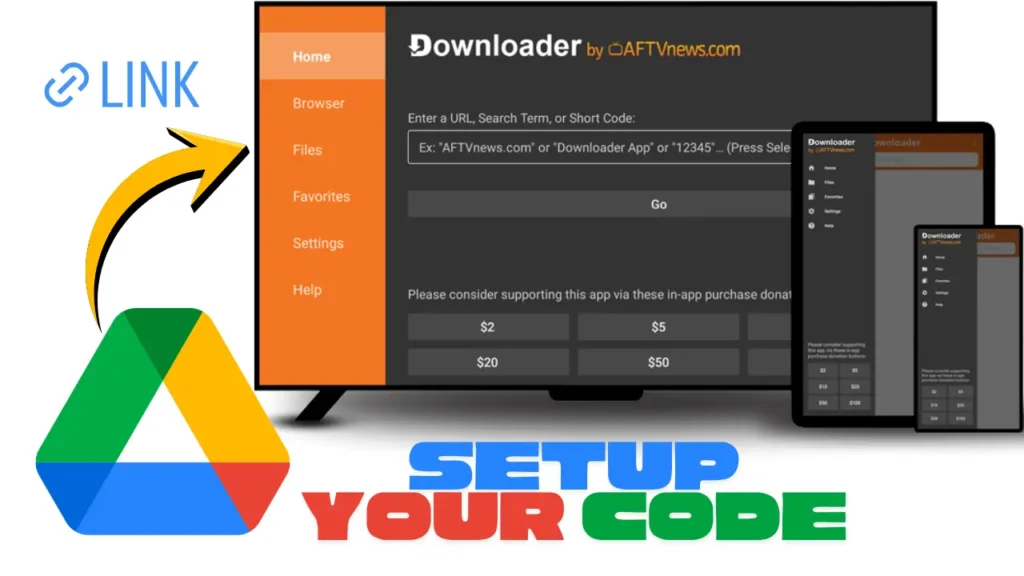
If you have an APK for an IPTV app that you want to sideload (for example, a custom or developer-provided IPTV player), you can generate your own downloader code:
- Upload the APK file to Google Drive (or another cloud-hosted solution).
- Set the sharing permissions to “Anyone with the link can view”.
- Copy the shareable link.
- Paste that link into the AFTVNews URL Shortener (go.aftvnews.com). go.aftvnews.com
- The URL shortener will generate:
- A numeric code (e.g.,
123456) - A short URL like
aftv.news/123456
- A numeric code (e.g.,
You (or your users) can now enter that numeric code in Downloader to sideload that APK.
A number of users have done exactly this: upload their custom IPTV app to Google Drive, make it viewable, then generate a Downloader code to simplify installation. Reddit
Popular IPTV Downloader Codes (Examples)
Here are some realistic examples of an iptv code for downloader used to sideload popular IPTV player apps. (Note: codes may change, always verify with trusted sources.)
| IPTV Player | Downloader Code | Notes |
|---|---|---|
| IPTV Smarters Pro | 6468112 Downloader Codes | Points to official Smarters APK version 5.0. |
| Another Smarters Version | 740392 | Verified in Reddit discussion. Reddit |
These codes save users from typing long, error-prone URLs.
Risks & Best Practices When Using an IPTV Code for Downloader
While iptv code for downloader is very useful, there are risks. Here’s what to watch out for — and how to stay safe.
Risks
- Malicious APKs: Some codes may point to unverified or malicious APKs. Husham
- Expired or Broken Codes: Codes may stop working if the underlying link is removed or changed. Husham
- Privacy Concerns: Downloading from unknown sources can expose your device to vulnerabilities.
- Misleading Codes: Some codes advertised for “IPTV premium” may lead to pirated or illegal streams — not recommended.
Best Practices
- Only use codes from trusted sources (e.g., AFTVNews, verified communities). Fire Stick Tricks+1
- After entering the code in Downloader, preview the URL before confirming the download.
- Scan downloaded APK files (e.g., via VirusTotal or other security tools).
- Use a VPN during sideloading or streaming if you want extra privacy.
- Periodically uninstall unused third-party apps to reduce risk.
Example Use Case: How to Use a Downloader Code with British IPTV 4K
Let’s walk through how you might use an iptv code for downloader to install an IPTV player for British IPTV 4K:
- Get Your IPTV Player APK
- Suppose British IPTV 4K supports or recommends IPTV Smarters Pro for ease of use.
- Download the APK from the official source (or a trusted link) to your Google Drive.
- Generate Your Downloader Code
- Set the Google Drive link’s permission to “Anyone with link can view.”
- Use the AFTVNews URL Shortener to convert the link to a numeric code.
- Install Downloader on Your Device
- On Fire TV or Android TV, install the Downloader by AFTVNews app from the Amazon Appstore or Google Play Store. visiona.ma
- Enable “Install Unknown Apps” for Downloader in your device settings.
- Use the Code in Downloader
- Open Downloader.
- Enter the numeric code you generated (e.g.,
123456). - Press “Go.”
- Downloader resolves the code, fetches the full URL, and begins downloading the APK.
- Install and Log In
- Once downloaded, press “Install.”
- After installation, open the IPTV player.
- Enter your IPTV subscription details (e.g., username, password, or playlist URL provided by British IPTV 4K).
Why British IPTV 4K Supports Downloader Codes
At British IPTV 4K, we want to make setup as easy and flexible as possible — especially for technically savvy users or those sideloading via APK. Here’s how we support iptv code for downloader workflows:
- We provide clean, up-to-date APK links (via trustworthy sources) for recommended IPTV players like Smarters, TiviMate, and others.
- For customers who want to sideload apps, we help them generate and verify downloader codes.
- Our support team can guide you step-by-step on how to use AFTVNews URL Shortener, set up Google Drive, or install via Downloader.
- We encourage secure practices: verifying APKs, scanning files, and using trusted stores.
- Since we host robust servers, once your IPTV app is installed, British IPTV 4K ensures your streaming experience is stable and high-quality.
Real-World Scenarios Where Downloader Codes Help
Scenario 1: Updating an IPTV App
Your IPTV provider (or British IPTV 4K) releases a new APK for their player. Rather than sending a long URL, they issue a new downloader code. You open Downloader, type that code, and instantly download the updated app.
Scenario 2: Custom or Private IPTV Player
Maybe British IPTV 4K or a third party distributes a custom APK (branded, private, or custom-built) not published on a public store. You upload it to Google Drive, generate a downloader code, and share it easily with users. Everyone can sideload quickly.
Scenario 3: Simplifying Setup for Non-Technical Users
Instead of asking users to type long URLs, you give them a code like 123456. Even less tech-savvy users can open Downloader, type that code, and install — no long URLs, no mistakes.
Limitations of Downloader Codes
While they are extremely useful, there are limitations to be aware of when working with iptv code for downloader:
- Not a Replacement for Official App Stores
Downloader is a sideloading tool. It doesn’t provide updates like Google Play or Amazon Appstore — you’ll need to re-download with a new code. - Code Expiration
If you host APKs on a third-party website or drive, the link might expire or be removed, making the code invalid. - Potential for Abuse
Malicious actors might distribute codes leading to APKs with malware. Always verify the source before using any code. Husham - No Central Database
There’s no official public “master list” of downloader codes. Users rely on trusted blogs, communities, or developers to share valid, safe codes. Husham
Table: Comparison of Methods to Install IPTV Apps
| Method | Pros | Cons |
|---|---|---|
| Typing full URL in Downloader | Works with any URL, not just short codes | Typing long URLs on TV is tedious and error-prone |
| Using iptv code for downloader | Fast, simple, and user-friendly | Risk of malicious APKs if code is from untrusted source |
| Installing from App Store | Official, safe, and auto-updates | Not all IPTV players are available in app stores |
| Sideload via USB/Airdrop | Offline method | More complicated, needs PC or phone |
FAQ: Common Questions About IPTV Code for Downloader
Q: What happens if my downloader code doesn’t work?
A: It could mean the link was removed, the code expired, or the APK host changed. Try generating a fresh code or use the original URL instead.
Q: Is it legal to use downloader codes?
A: Yes — using the code is legal. The legality depends on the content of the APK you’re downloading and whether it’s a licensed IPTV app.
Q: Can I make my own downloader code for any app?
A: Yes. If you host the APK yourself (e.g., on Google Drive) and make it publicly viewable, you can generate a code with AFTVNews’s URL shortener. go.aftvnews.com
Q: Do downloader codes expire?
A: They can, if the target URL changes or the hosting link is deleted. Husham
Q: Which devices support the Downloader app?
A: Fire TV, Firestick, Android TV, Google TV devices, and many Android-based set-top boxes support Downloader.
Q: Is it safe to install APKs via downloader codes?
A: It’s as safe as the source. Use trusted APK links, scan your downloads, and consider using a VPN for extra security.
Final Thoughts: Why Knowing About “IPTV Code for Downloader” Helps You
Understanding how an iptv code for downloader works gives you several advantages:
- Speed & Efficiency: Installing IPTV players becomes quick and easy.
- Flexibility: You can sideload custom IPTV apps or client-provided players.
- Control: You decide which APK to use, hosted where you want.
- Security: With proper care, you minimize risk by verifying APKs and using trusted codes.
At British IPTV 4K, we support this pro-level setup because we know many of our users run their service on Fire TV or Android TV devices and want to keep their installation clean, efficient, and secure. We can help you generate downloader codes, pick the right APK, and guide you step-by-step through installation — so you can focus on what matters most: watching your IPTV subscription.







