
What Is Freebox?
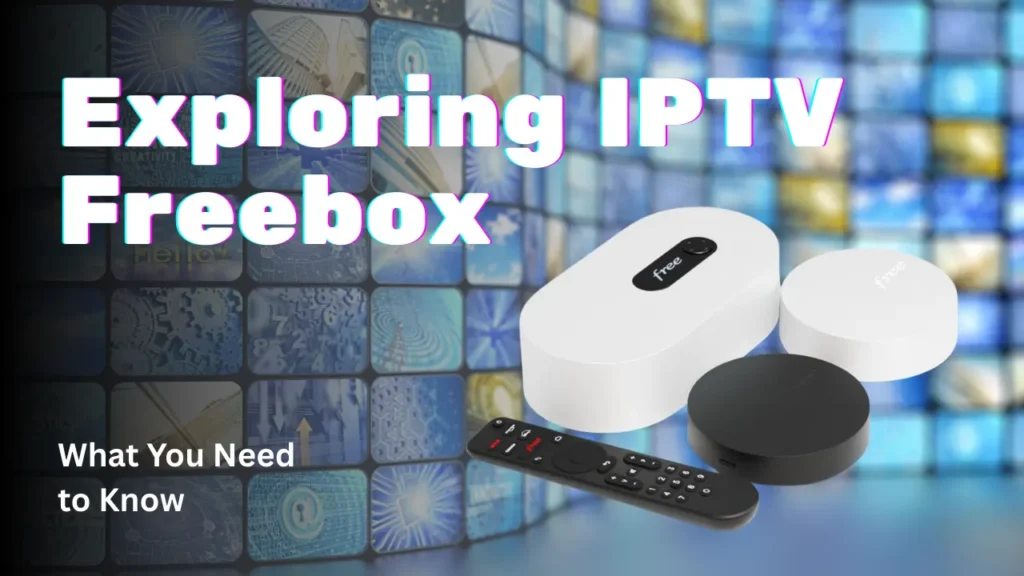
Freebox is a hardware device provided by the French Internet Service Provider Free (Iliad group). It’s not just a modem—it’s a multi-service box combining internet, telephony, and television (IPTV) in one powerful package. (Wikipedia)
Depending on the Freebox model (like the Freebox Révolution, Delta, Pop, etc.), the box includes:
- A router/modem for ADSL, VDSL, or fiber
- A set-top box or media box capable of IPTV and video playback (Wikipedia)
- Local storage (in some versions) for recordings or NAS usage (Wikipedia)
- Various ports (Ethernet, USB, HDMI, etc.) (Wikipedia)
Freebox users can benefit from Free’s own IPTV service, but also use third-party IPTV via M3U playlists or compatible apps — that’s where “iptv freebox” often comes in.
Why “IPTV Freebox” Is a Popular Term
When people search for iptv freebox, they might be referring to different things:
- Using the Free-provided IPTV services that come with the Freebox.
- Installing a third-party IPTV service (e.g., an external IPTV provider) on a Freebox device.
- Running playlists (M3U) or IPTV apps on Android-based Freebox models like Freebox Pop or Delta.
Because Freebox is a highly capable box, many tech-savvy users appreciate its flexibility — they don’t only want Free’s default TV service, they want to use IPTV services of their choosing.
How IPTV Freebox Technically Works
Role of the Freebox in IPTV Setup
- The Freebox modem/router connects to the internet and delivers the data.
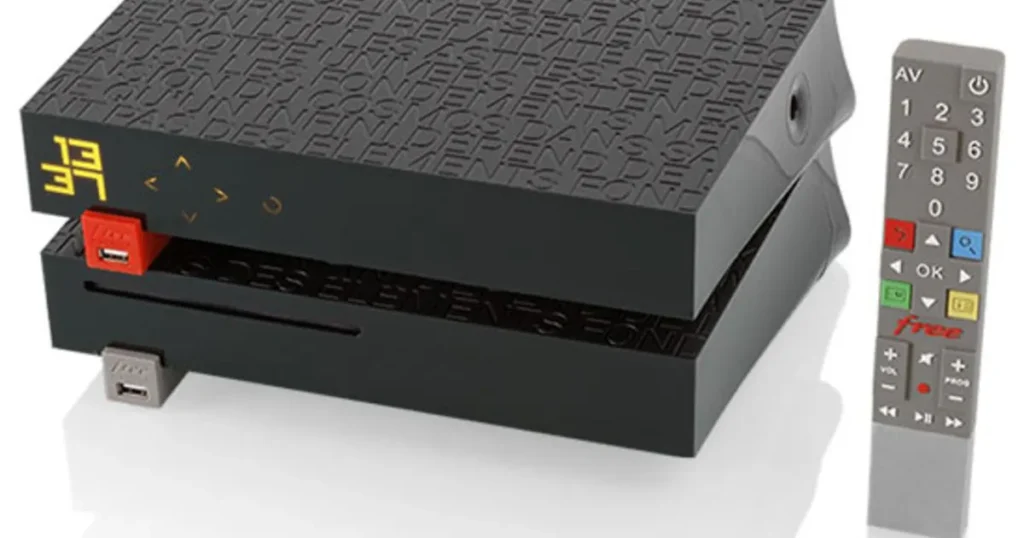
- The Freebox Player (or its integrated media component) decodes IPTV streams and displays them on your TV. (Wikipedia)
- When using third-party IPTV, users generally load an M3U playlist or enter Xtream-type login credentials into an IPTV app. (TricTrac.tv)
- Freebox allows port forwarding, so you can open specific ports for IPTV services if needed.
Freeplayer Mode
Some Freebox models support Freeplayer, a modified VLC-based client that allows you to stream video from your computer or external media sources to the Freebox. (Wikipedia)
This enables more advanced “IPTV-style” usage: you can host your own content or integrate other streams, depending on how your network is set up.
Benefits of Using IPTV on Freebox
Using iptv freebox can offer several advantages, especially for users who already have a Freebox:
- Integrated Hardware: You don’t need a separate Android box — the Freebox can do both internet and TV.
- Stable Network: The Freebox is a reliable modem/router, providing strong bandwidth for TV streaming.
- Flexibility: You can combine Free’s native IPTV with third-party IPTV services, giving you more channels and content variety.
- Local Recording: On supported Freebox models, you can record shows or use NAS-like storage. (xavierpaper.com)
- Events & Catch-up: Using Free’s own services, you can access replay or catch-up TV, such as with Freebox TV. (Univers Freebox)
Common Challenges with IPTV Freebox
While combining iptv freebox with third-party IPTV is powerful, there are some hurdles to be aware of:
Port Blocking
Free sometimes applies restrictions on certain ports or filters to protect its network and adhere to legal rules around content. (Telecom News)
If your IPTV service requires specific ports (like 8000 or 8080), you may need to manually open or forward those ports in Freebox settings.
Firmware & Compatibility
Not all Freebox versions are equal: older models may struggle with modern IPTV formats, or lack hardware decoding for high-bitrate streams. (Paperblog)
It’s important to keep the Freebox firmware updated, as updates improve codec support and IPTV performance.
Wi-Fi and Network Limitations
If you’re using Freebox over Wi-Fi, IPTV streams may suffer from buffering or dropouts. (Lekki)
Many IPTV users prefer wired Ethernet to ensure stable streaming.
Legal and Reliability Concerns
Not all IPTV playlists or third-party services are legal or stable. Free may block unknown or suspicious IPTV sources. (Telecom News)
This makes it risky to rely on unverified IPTV providers, unless they are trustworthy and legitimate.
How to Set Up IPTV on Freebox (Freebox Models)
Here is a simplified guide to how you can set up iptv freebox on supported Freebox devices:
Step-by-Step Setup
- Check compatibility → Confirm your Freebox model supports third-party IPTV (Freebox Pop, Delta, or older ones via Freeplayer). (TricTrac.tv)
- Download and install an IPTV app → Use apps like IPTV Smarters or VLC on the Freebox or associated device.
- Get your playlist/login → Use an M3U playlist URL or your IPTV provider’s Xtream credentials.
- Configure network → If required, go into Freebox OS and forward ports used by your IPTV service.
- Tweak DNS / QoS → Optimize your Freebox OS settings if you experience lag or buffering. Several community guides recommend using custom DNS. (Paperblog)
- Test the stream → Make sure the channels or VOD items load correctly.
Is IPTV on Freebox Legal?
Yes — IPTV as a technology is legal. What matters is the source of the IPTV streams. Legitimate IPTV providers pay licensing fees or operate under legal agreements, while pirated or illegal IPTV services do not. (Frandroid)
Using iptv freebox with a licensed IPTV provider or with Free’s native services is completely legal and supported by the hardware. But be cautious when using unknown IPTV subscriptions — always verify the legality of the provider.
Freebox Blocking IPTV: What Happens & Why
Free, as an ISP, sometimes enforces restrictions or filters on traffic that seems suspicious or illegal. (Telecom News)
They may block certain frequently-used IPTV ports or flag unknown servers. The reasons include:
- Compliance with copyright laws
- Network stability and managing bandwidth
- Protecting users from malicious or pirated streams
If you are blocked, options include:
- Changing DNS on your Freebox (Lekki)
- Setting up port forwarding properly
- Using a legitimate, trusted IPTV provider that uses allowed ports and stable servers
How British IPTV 4K Complements IPTV Freebox
At British IPTV 4K, we understand that many users want to run IPTV through versatile devices like Freebox. Here’s why pairing your iptv freebox setup with British IPTV 4K is a smart idea:
Reliable & Premium Streams
British IPTV 4K provides high-quality, stable, and legal IPTV streams that work seamlessly on devices like Freebox (where allowed).
Multiple Server Options
If your Freebox network or ISP routing is challenging, British IPTV 4K’s infrastructure helps ensure you get a reliable stream route.
Safe & Professional Service
Unlike shady IPTV providers, British IPTV 4K uses trustworthy servers and offers customer support — meaning fewer dropped streams and more consistent playback.
Free Trial Availability
We often provide trial periods so you can test that British IPTV 4K works well on your Freebox before committing.
Global & Local Channels
Whether you want UK channels, European, Arabic, or international streaming, British IPTV 4K can provide a broad library — usable with Freebox’s compatible applications.
Performance Tips When Using IPTV on Freebox
To maximize the performance of your iptv freebox experience, consider these best practices:
- Use Ethernet instead of Wi-Fi for your Freebox Player or other connected device when possible
- Open the required IPTV port(s) on your Freebox using Freebox OS
- Update the Freebox firmware regularly to support newer video codecs (Paperblog)
- Use a high-speed, stable internet connection (20–50 Mbps minimum recommended for HD/4K)
- Use reliable and tested IPTV playlists or providers like British IPTV 4K
- If buffering is frequent, check your DNS or try custom DNS settings (Lekki)
Risks to Be Aware of With IPTV Freebox
While iptv freebox offers flexibility, it is not risk-free:
- Legal Risks — Using unlicensed IPTV services can violate copyright laws.
- Service Instability — Poor-quality IPTV providers may go offline, or streams may drop.
- Security Risks — Untrusted playlists or providers can expose your network to threats.
- ISP Blocking — Free may block or throttle certain IPTV traffic if it deems it suspicious. (Telecom News)
- Complex Setup — For non-technical users, configuring M3U playlists or port forwarding can be confusing.
Frequently Asked Questions About IPTV Freebox
Q: Do all Freebox models support IPTV?
A: Not all, but many do. Models like Freebox Pop, Delta, Révolution support third-party IPTV via apps or M3U. (TricTrac.tv)
Q: Is Free’s native IPTV service the same as third-party IPTV?
A: No. Free’s IPTV is part of its own package. Third-party IPTV via iptv freebox involves a separate subscription and playlist or credentials.
Q: Can Freebox block IPTV traffic?
A: Yes, Free sometimes applies filters. Also, using the wrong ports or settings may prevent IPTV streams from working. (Telecom News)
Q: Do I need to open ports on Freebox to use IPTV?
A: It depends on the IPTV provider. Some require specific ports (like 8080) to be forwarded. (Abo IPTV)
Q: Is using IPTV on Freebox legal?
A: Yes — if you subscribe to a licensed IPTV provider. The technology is legal; the risk comes from pirated or illegal sources. (Frandroid)
Q: Can I improve IPTV performance on Freebox?
A: Yes — by using wired internet, updating firmware, and configuring DNS or port settings.
Final Thoughts
Using iptv freebox gives you a lot of power and flexibility. The Freebox is a sophisticated device — more than just a modem — allowing users to combine internet, television, and advanced streaming in one place.
But like any powerful tool, it requires care:
- Choose trusted IPTV providers
- Use secure M3U playlists or login credentials
- Configure your network settings properly
- Be aware of legal and ISP-related restrictions
That’s exactly where British IPTV 4K can make a huge difference. If you want a reliable, high-quality IPTV service to run on your Freebox (or any other device), we offer tested streams, professional support, and flexible setups.
Whether you’re an advanced Freebox user or just getting started, pairing it with a trusted IPTV provider ensures you get the most out of your setup — with quality, performance, and peace of mind.







